Is Infill free?
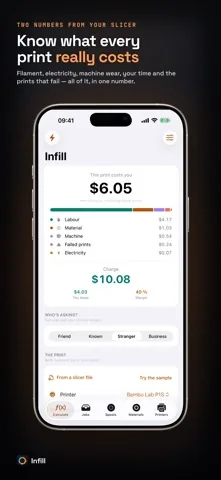
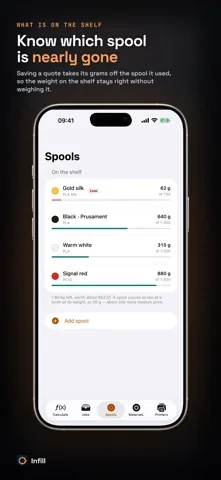
Yes. The calculator is free in full: the cost breakdown, the selling price, the customer presets, sharing, the slicer import, the spool inventory and the multi-filament model. Infill shows no advertising at all. Infill Pro is a single purchase and never a subscription. It lifts the profile and history limits and adds marketplace fees, VAT on the quote and CSV export.
What does the free version limit?
Two printer profiles, six material profiles and ten saved quotes. Nothing in the arithmetic is held back, and no feature is time limited.
Which slicer files can Infill read?
A .gcode file from PrusaSlicer, Bambu Studio, OrcaSlicer or Cura, and a sliced .3mf project from Bambu Studio or OrcaSlicer. Grams and print time fill themselves in. A sample file ships with the app, so you can try the import without a slicer to hand.
What is the difference between margin and markup?
A 50 percent margin means the price is twice your cost. A 50 percent markup means 1.5 times your cost. Infill keeps the two apart and labels which one you picked, because calculators that multiply by one plus the margin and call it margin quote a third under.
Does Infill handle multi-color and AMS prints?
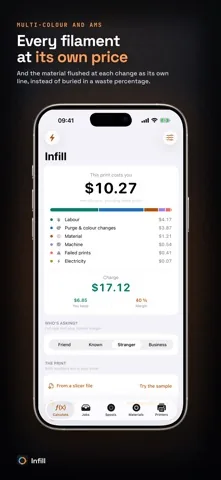
Yes. Every filament in the print is charged at its own rate, and the material flushed at each color change gets its own line instead of being buried in a waste percentage.
Does Infill need an account or an internet connection?
No. There is no account, no cloud and no backend. There are no advertising SDKs, no analytics and no tracking of any kind. Your prints, prices and customers never leave your device.
Which printers are included?
Printer profiles with average wattages for Bambu Lab, Prusa, Creality, Elegoo and Anycubic machines, plus a generic profile. Every figure is editable, and you can add your own.
Does Infill work on iPad?
Yes. Infill runs on iPhone and iPad, in English and German, on iOS 17.0 or later.
 Infill